Product tour
Permitting & Licensing Accelerator: click through the product
7 real screens, in the order a person meets them. Screens captured from build 0c9c24b71d of Moraph Apps on 24 November 2026, in a workspace with sample data. Every organization, name and figure shown is a placeholder, not client data.
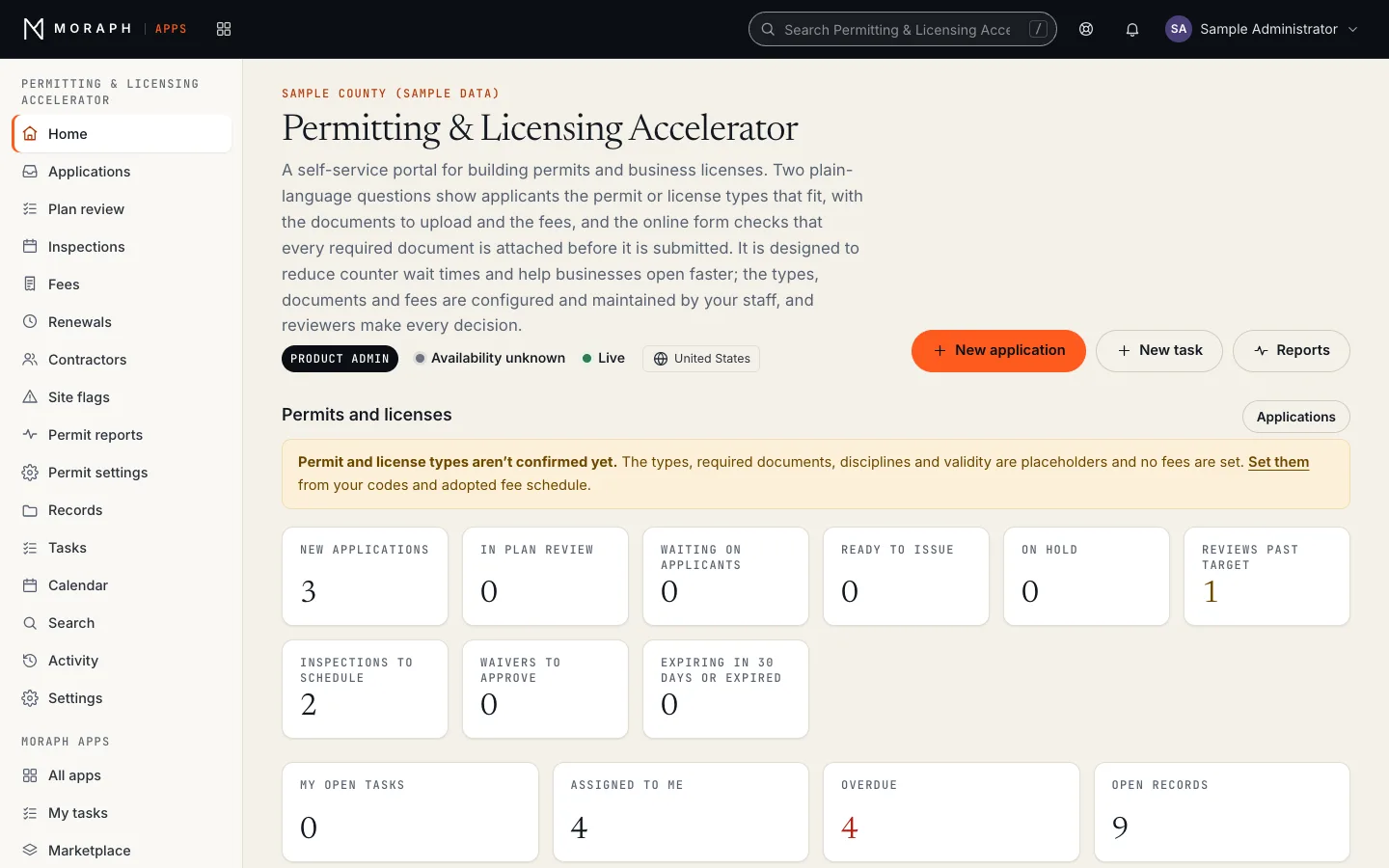
1 Product home
The product home: counts of work, the product’s workflow stages and its own panel, with the product’s pages in the left menu.
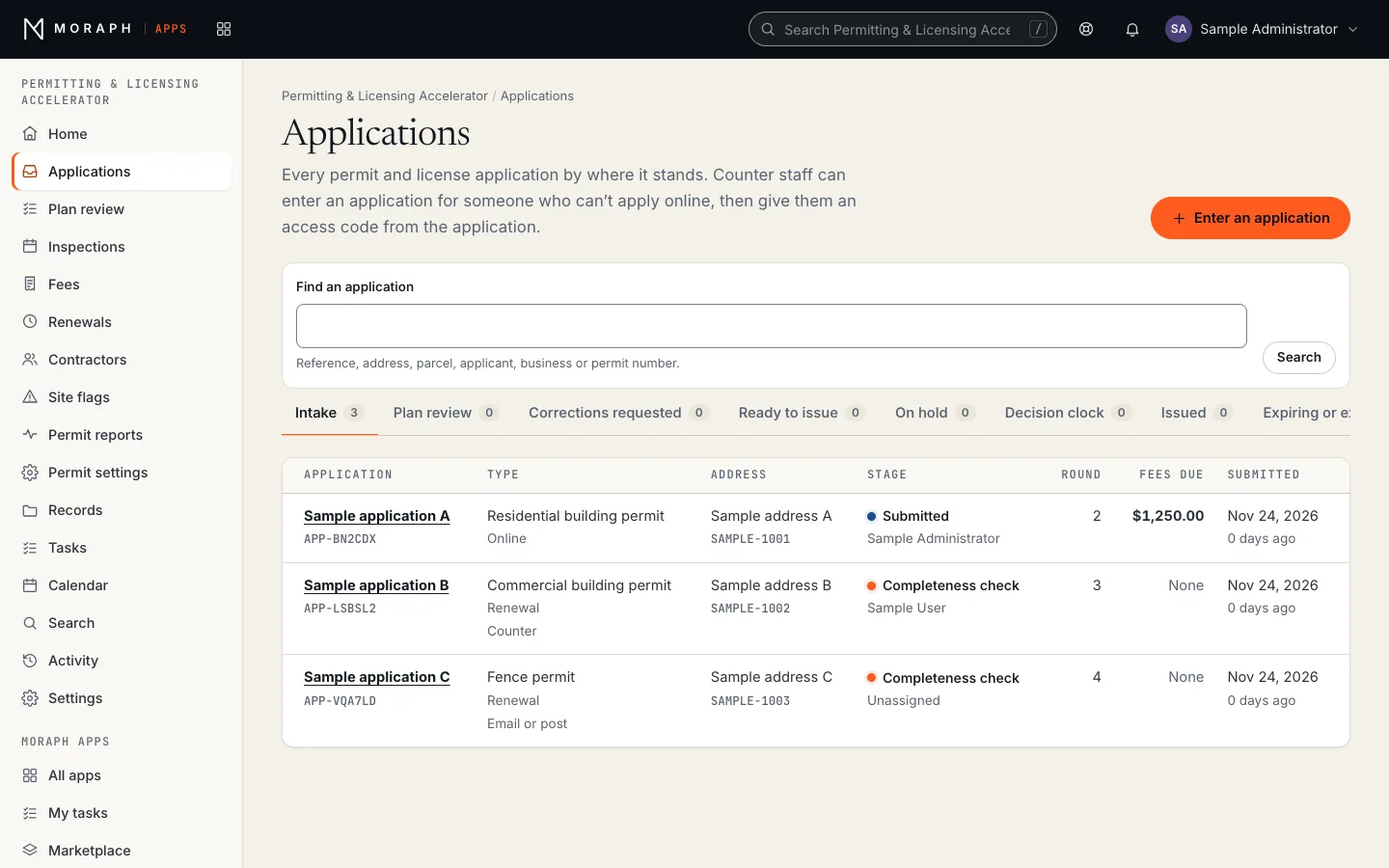
2 Applications
“Every permit and license application by where it stands. Counter staff can enter an application for someone who can’t apply online, then give them an access code from the application.” The screen’s own words.
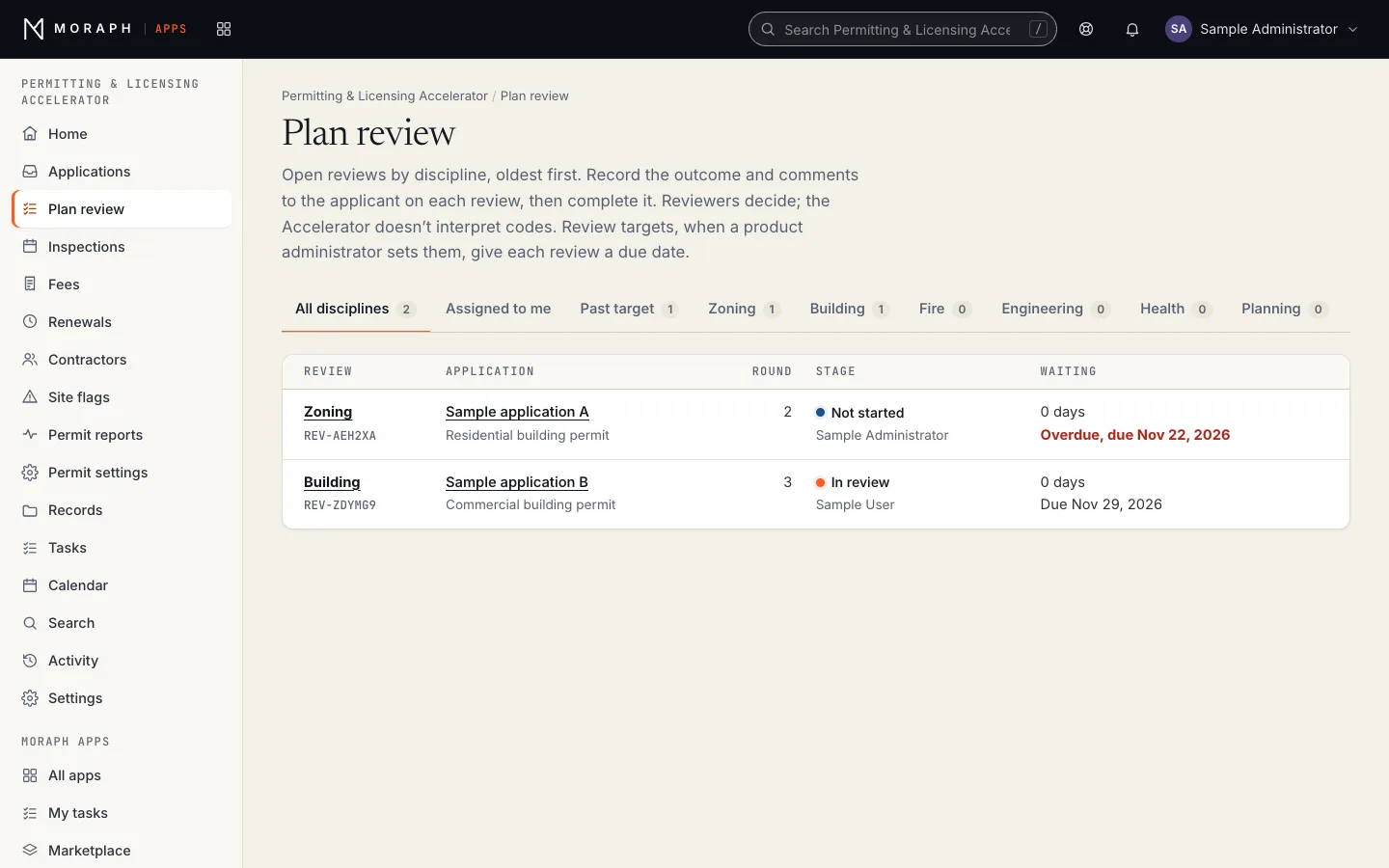
3 Plan reviews
“Open reviews by discipline, oldest first. Record the outcome and comments to the applicant on each review, then complete it. Reviewers decide; the Accelerator doesn’t interpret codes. Review targets, when a product admin” The screen’s own words.
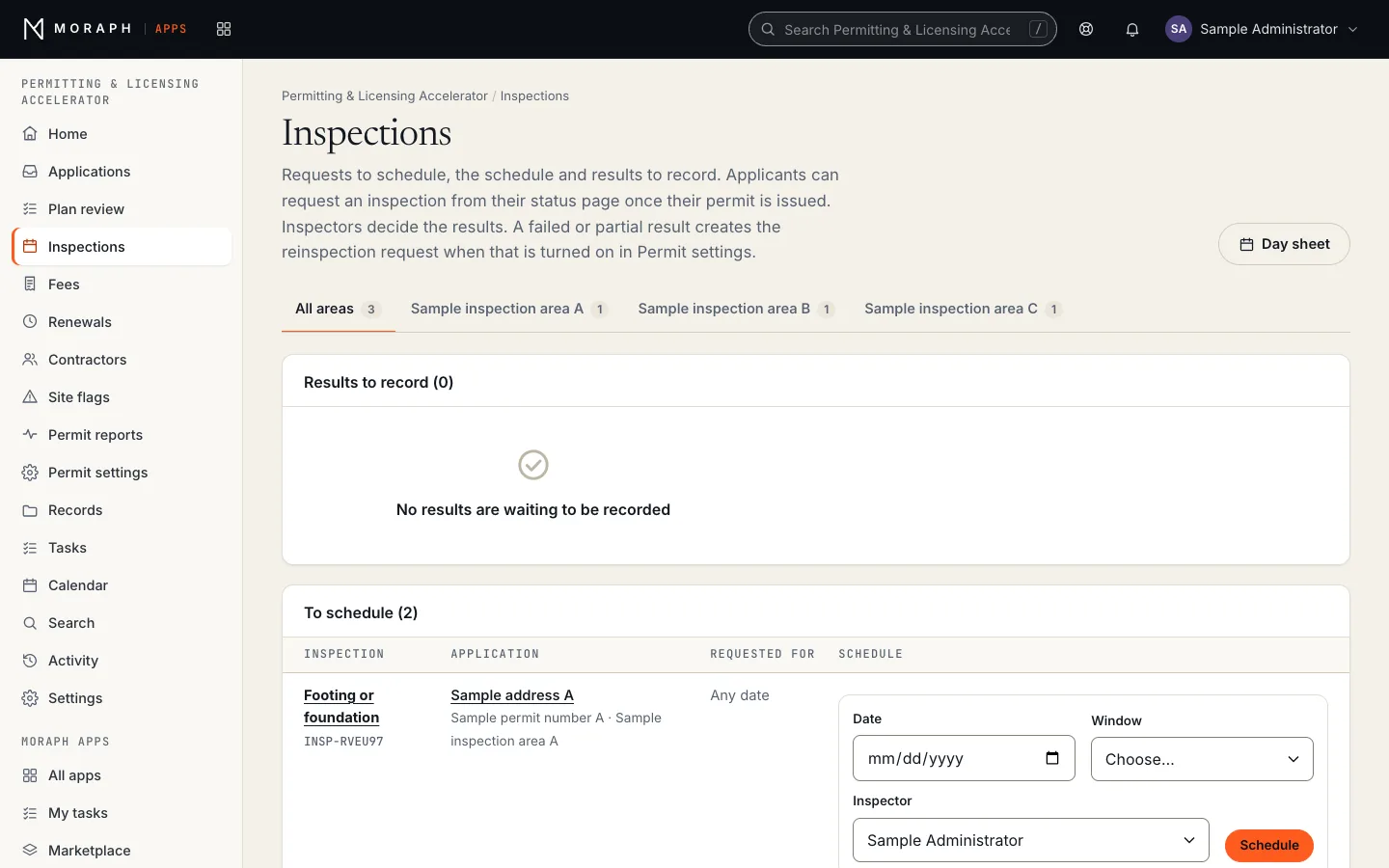
4 Inspections
“Requests to schedule, the schedule and results to record. Applicants can request an inspection from their status page once their permit is issued. Inspectors decide the results. A failed or partial result creates the rei” The screen’s own words.
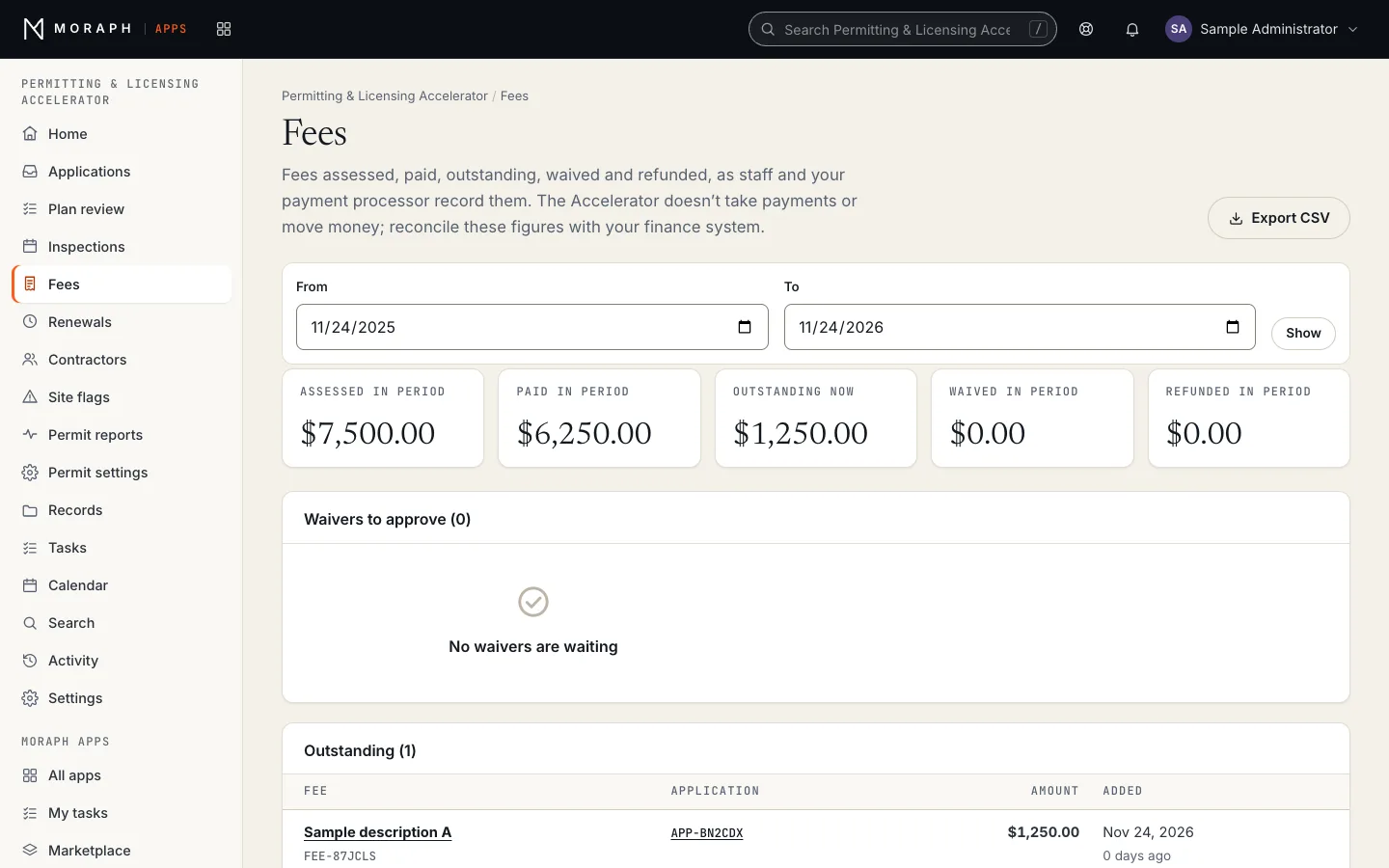
5 Fees
“Fees assessed, paid, outstanding, waived and refunded, as staff and your payment processor record them. The Accelerator doesn’t take payments or move money; reconcile these figures with your finance system.” The screen’s own words.
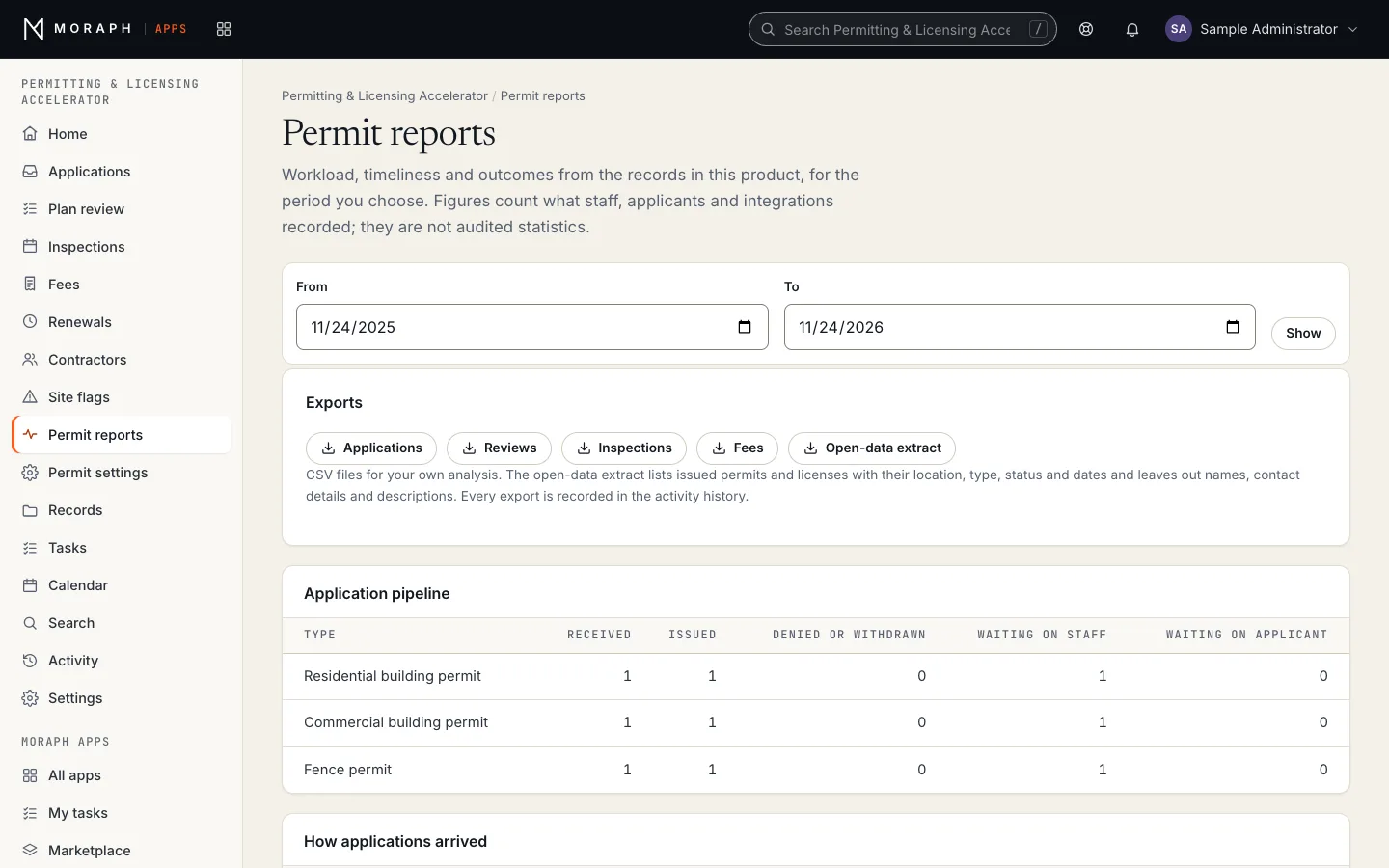
6 Reports
“Workload, timeliness and outcomes from the records in this product, for the period you choose. Figures count what staff, applicants and integrations recorded; they are not audited statistics.” The screen’s own words.
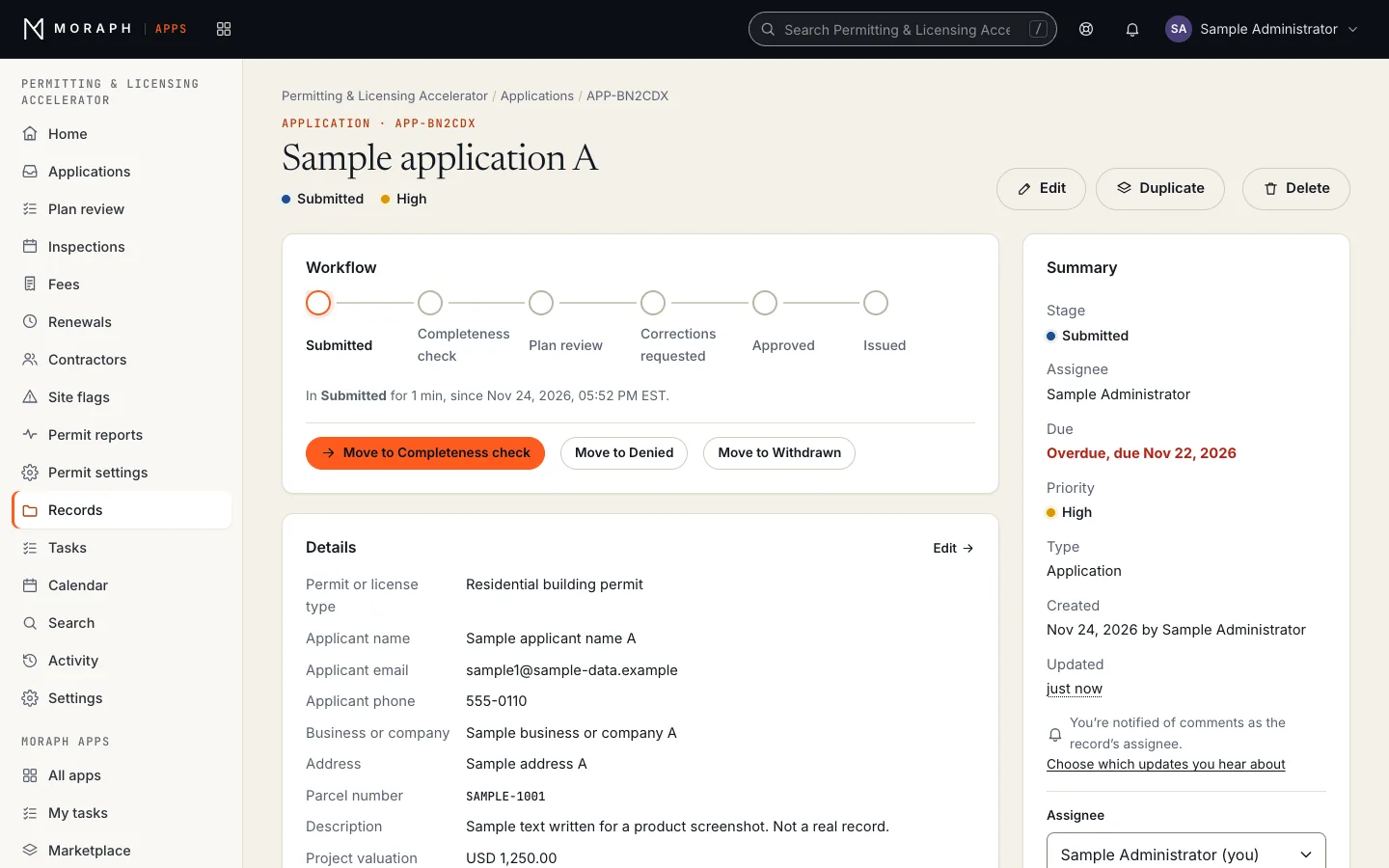
7 An application record
One record opened from the register, with its details, its place in the workflow, its tasks and its history.
Screens captured from build 0c9c24b71d of Moraph Apps on 24 November 2026, in a workspace with sample data. Every organization, name and figure shown is a placeholder, not client data. All product tours